
PanicVault
KeePass Sync & AutoFill
Your passwords, your file, your control.
No subscription. No cloud lock-in.
iPhone iPad Mac
See it in action
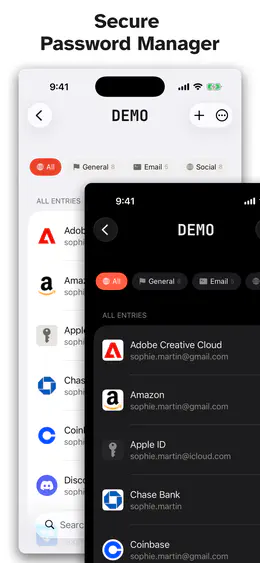
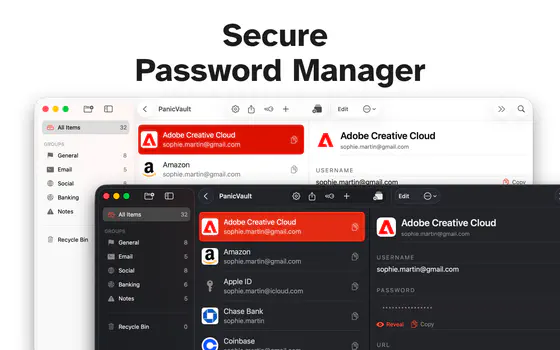
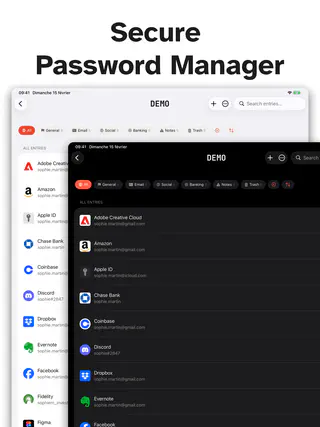
A native experience built for iPhone, Mac & iPad, with the features you expect from a modern password manager.
Everything you need.
Real ownership of your credentials. No proprietary cloud, no account to create, no subscription fee.
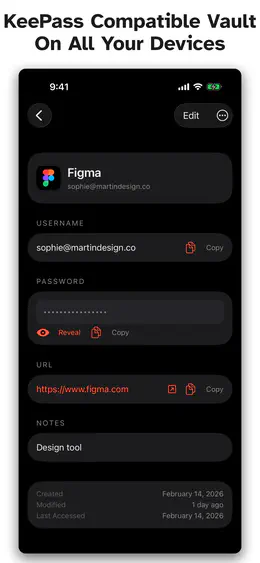
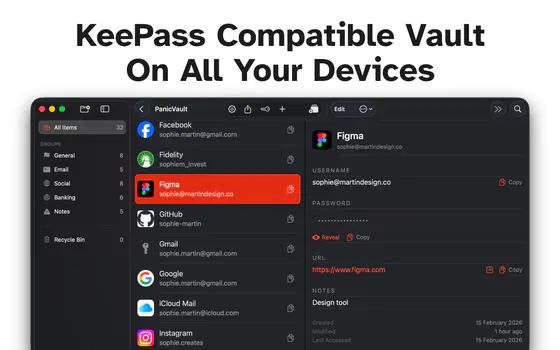
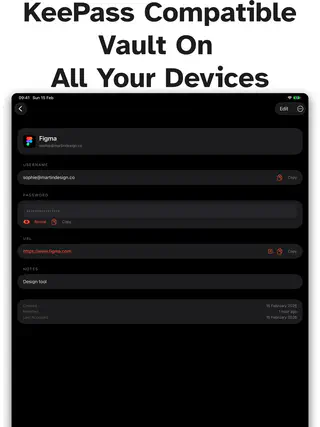
KeePass (.kdbx 4) Compatibility
Open and save vaults created by KeePass, KeePassXC, KeePassDX, Strongbox, and more. Entry history, custom fields, attachments, group hierarchy, custom icons, and recycle bin are fully supported.
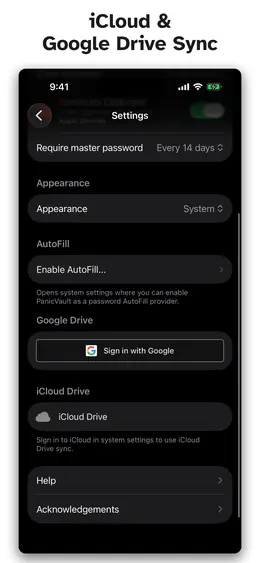
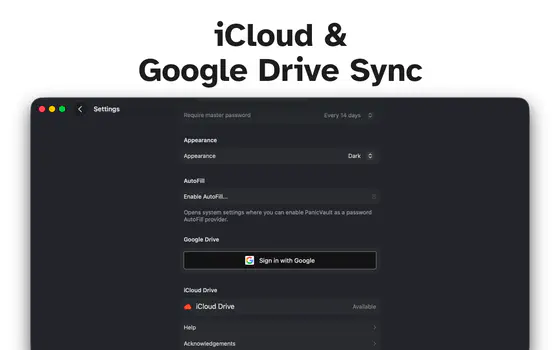
iCloud Drive & Google Drive Sync
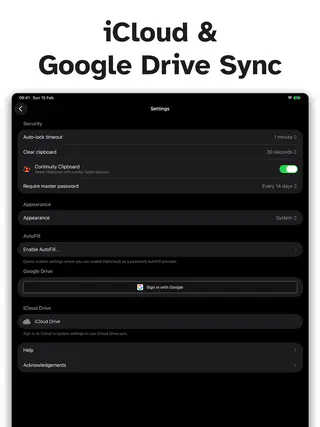
Sync your vault across iPhone, iPad, and Mac through iCloud Drive or Google Drive. Smart entry-level merging preserves changes from every device. Conflicts are shown side by side so you pick the version you want. Sign in to multiple Google accounts and sync different vaults with different accounts.
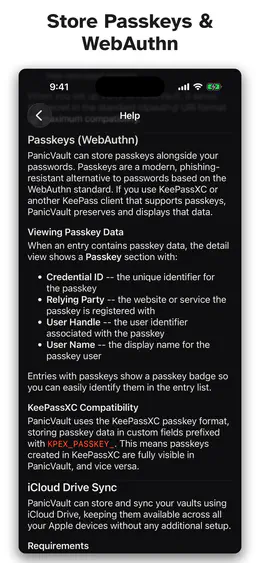
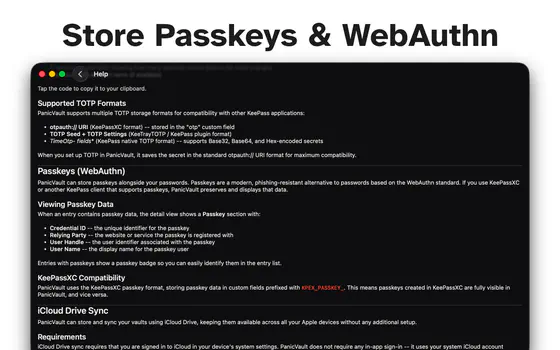
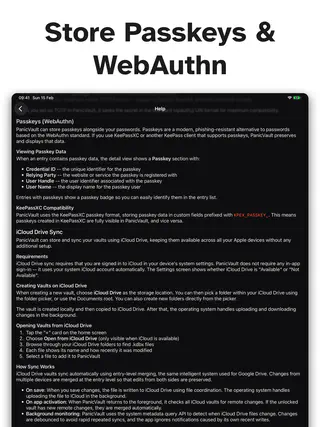
Passkeys (WebAuthn)
Store and manage passkeys alongside your passwords. Compatible with the KeePassXC passkey format for full cross-platform interoperability.
AutoFill Integration
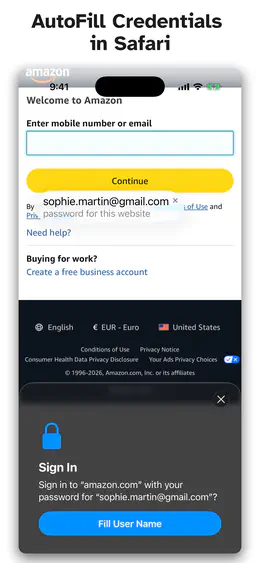
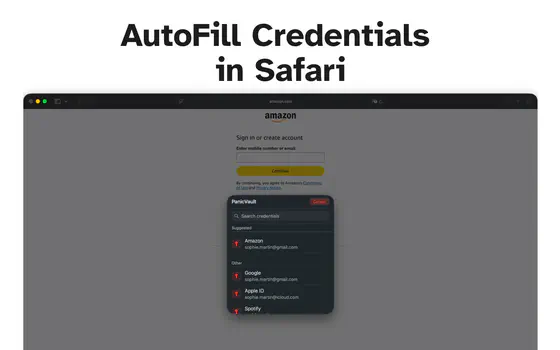
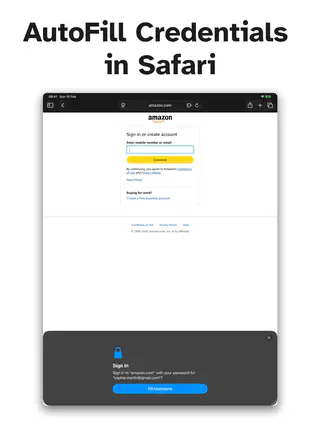
Fill usernames and passwords in Safari and apps with the system AutoFill credential provider. Override URLs let you match entries to sites with different login domains.
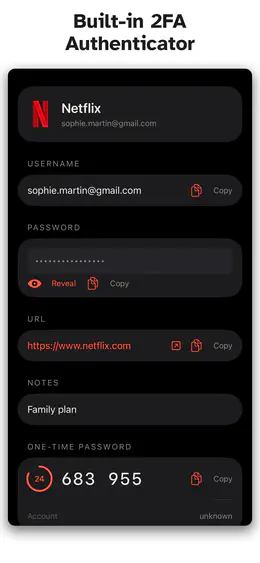
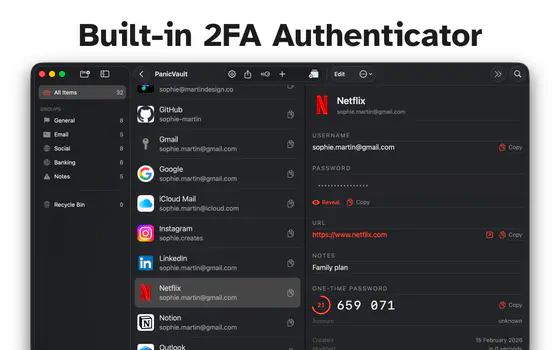
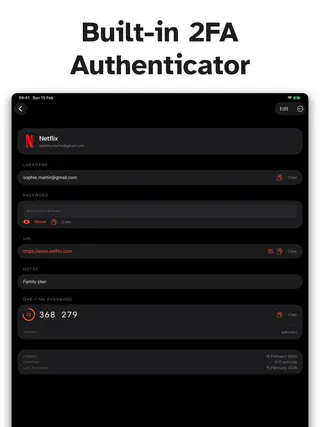
Built-in Authenticator (TOTP)
Generate two-factor authentication codes right alongside your passwords. Scan a QR code or enter the secret manually. Compatible with all standard TOTP formats.
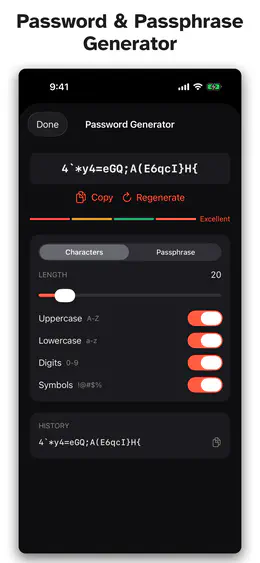
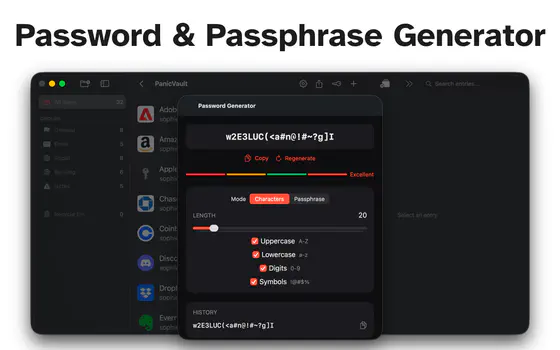
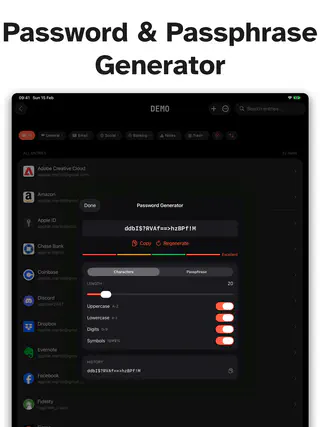
Password & Passphrase Generator
Create strong random passwords or memorable passphrases from the EFF wordlist. A live strength meter shows you exactly how secure each password is.
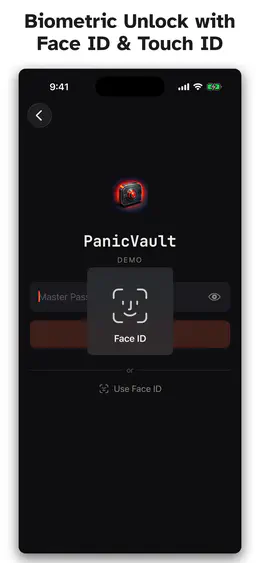
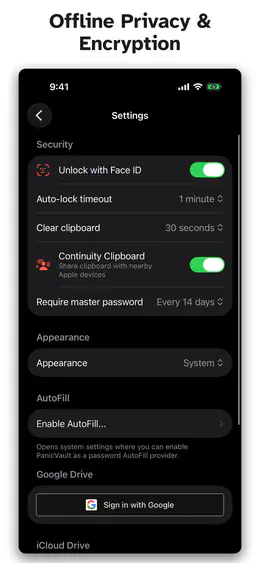
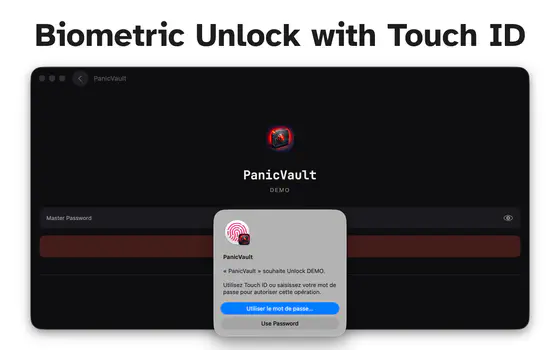
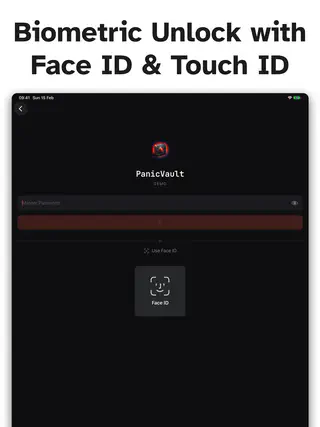
Biometric Unlock
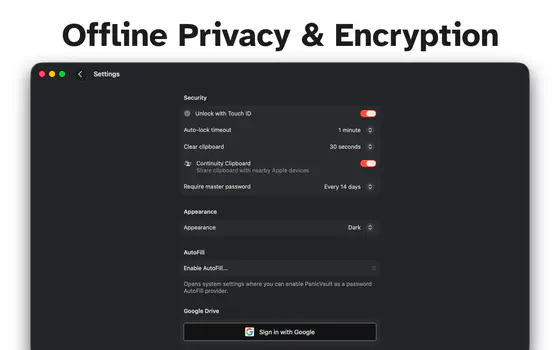
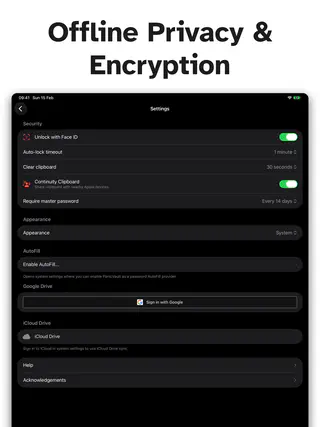
Unlock with Face ID or Touch ID. Your master password is stored in the Secure Enclave keychain — never transmitted anywhere.
Hardware Key (YubiKey)
Protect a vault with a physical YubiKey: challenge-response over NFC on iPhone, and over USB on Mac. Slot 1 or slot 2, fully compatible with KeePassXC databases in both directions. Not available on iPad.
Offline First
Every feature works without an internet connection. Cloud sync is optional and happens only when you choose to enable it.
Works with Your Own Sync
Keep a vault in a folder synced by Syncthing, Dropbox, Nextcloud, or your own SSH or rsync setup, or open it in KeePassXC on the same Mac. Outside changes to the vault file are merged, not overwritten.
Bulk Operations & Drag and Drop
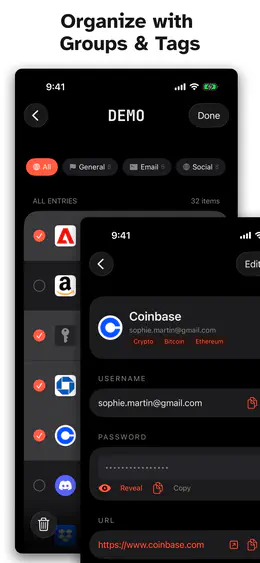
Select multiple entries at once to move or delete them in bulk. On Mac, drag entries between groups and drag groups to reorganize your hierarchy.
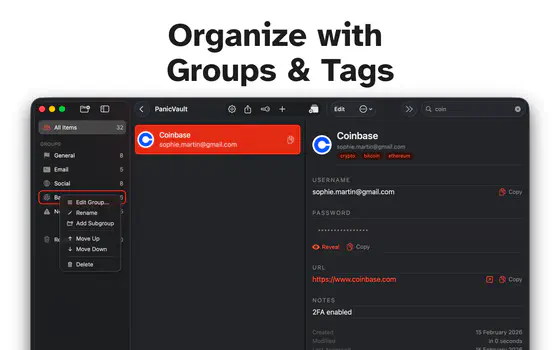
Organize with Groups & Tags
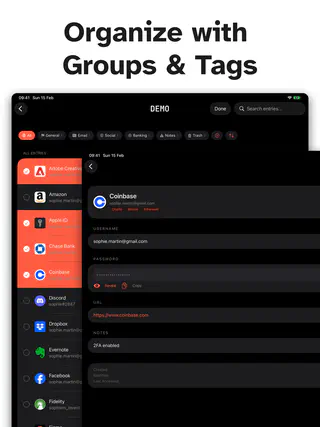
Create nested folders to sort your entries. Reorder and customize groups with notes and custom icons. Add tags for cross-cutting categories. Search across titles, usernames, URLs, and notes instantly.
Favicon Auto-Fetch
Tap a button to automatically download a website's icon and set it as the entry's custom icon — the quickest way to make entries recognizable at a glance.
Default Vault & Keyboard Shortcuts
Set a default vault that opens automatically on launch. On Mac, use full keyboard shortcuts for search, new entries, password generation, locking, and more.
Entry History & Attachments
Every password change is saved automatically. Attach files like recovery codes, certificates, or documents to any entry.
Custom Colors & Icons
Personalize entries with text color, background color, and 69 built-in KeePass icons or your own custom images.
100% Test Coverage
Every line of code is tested and verified. Full test coverage means fewer bugs, faster fixes, and confidence that your vault works exactly as expected.
Security you can verify
Built on proven, open standards. No proprietary encryption, no trust‑us‑bro security.
Encryption
Choose AES-256 or ChaCha20 to protect your vault with industry-standard encryption
Key Derivation
Memory-hard key derivation makes brute-force attacks computationally impractical
Biometric Storage
Master password stored in hardware-backed Secure Enclave keychain
Hardware Key
YubiKey challenge-response over NFC on iPhone, and over USB on Mac — the same scheme KeePassXC uses
Clipboard & Lock
Clipboard auto-clear, configurable lock timeout, and periodic master password re-entry
Re-audited every time
the code changes
Most apps get a security review once — if ever. PanicVault is reviewed again on every single change, automatically, before that change is allowed anywhere near your vault.
Every change
No code goes straight in. Each change opens as a pull request that has to earn its way through the checks below.
pull request · required checksStatic analysis
A scanner reads the whole codebase and flags unsafe patterns — before any human even looks at it.
SonarQube SAST · CWE Top 25AI security audit
Fable — Anthropic's most advanced model for cybersecurity reasoning — reads the change the way an attacker would, hunting for whole classes of vulnerability, not typos.
Fable · adversarial diff reviewTest suite
Every line of code has to be exercised by a test. Not most of it. All of it — or the build stops here.
coverage gate: 100% — blockingMerge & ship
Only if everything above is green. One red light and the change cannot be merged — there is no override button.
all checks green · else: blockedpanicvault · branch: main · ci pipeline
Quality gate: passedenforced at mergeSonarQube quality gatepre-merge · adversarialfail → no merge, no shipControls mapped to the frameworks security teams actually audit against. We don't wave a certificate at you — we show you the gate, and the gate runs on every commit.
The build on your Mac, iPad and iPhone
passed every gate.
Scanned, adversarially reviewed, and fully tested before it ever shipped — then handed to you as an encrypted file that only you can open.
Download on the App StoreAES-256 / ChaCha20 · Argon2id · Secure Enclave · offline-firstNo lock-in. Ever.
Your vault is a single encrypted file in the open KeePass format. Back it up, move it, or open it in any compatible app on any platform.
Your vault works in any KeePass-compatible app, on any platform
Learn About Password Security
Guides, comparisons, and deep dives to help you take control of your digital security.
Password Security
Master the fundamentals of creating and managing strong passwords
Password Managers
Everything you need to know about password manager security
KeePass & Open Standards
The open format that puts you in control of your data
Two-Factor Authentication
Add an extra layer of protection to every account
Cloud Sync
Sync your vault securely across all your devices
Apple Ecosystem
Password management optimized for iPhone, iPad, and Mac
Passkeys
The future of passwordless authentication
Data Breaches
What to do when your data is compromised
Phishing & Scams
Recognize and defend against social engineering attacks
Digital Privacy
Protect your personal information online
Comparisons
Find the right password manager for your needs
Guides & Tutorials
Step-by-step guides for password management
Biometric Security
Face ID, Touch ID, and the science of biometric auth
Business & Freelancers
Password security for teams and professionals
Trends & Insights
The future of authentication and cybersecurity
Engineering & Assurance
How PanicVault is built, tested, and audited on every commit
Get PanicVault
One purchase. All your devices. No subscription.
Download on the App Store